lundi 19 octobre 2009

Twitter!

Hi to all!

Clearly, I haven't been able to live up to my promises and update this blog regularly.
Hence, I think I have found a better to share some ideas or tips that I might have, namely twitter! With an Iphone, it is quite easy to post stuff, and for me it is less time-consuming to just point to a link than explaining everything again, above all since English is not my mother tongue.
In case someone wants to follow me, my twitter account is: lillumultipass

From now on, I will post mainly on my twitter account, unless I have something really meaningful to say and I need more than 140 characters ;-)

So, see you on Twitter!
Cheers!

EDIT: I really think that using Twitter is a great idea, because when I read something interesting, I can send a tweet immediately with a link to the article. It is clearly an easy and efficient way to share stuff, ideas...
I think I will add something like "Econ" or "MacOS" or "Iphone" at the beginning of the tweet so that the topic is easily recognizable.

jeudi 16 juillet 2009

How to create an Itunes account in the US (or anywhere else for that matter)

Hello!

wow, two posts in three days! I am on a roll ;-)
It will be a very quick one though since I am just back from seeing the latest Harry Potter, and it is a bit late. The movie was quite good, even though of course, many things were missing and the end was, IMHO, a bit rushed.

Well, I am not here to talk about Harry Potter, but about Itunes. Say you are French, you have an Iphone, and you want an app which is only present in the US App store, such as the Kindle app. Well, there is a solution: you can create an US Itunes account.
Basically, all you need to do is to switch to the US App store in Itunes and then buy a free app. You will be asked to create a new account which you will do.
When you arrive at the page requesting your billing address and credit card information, you need to so two things: first, you select no credit card and click on "none"; second, you use Fake Name Generator and create a "false" identity for yourself. That way, you are sure that the zip code you provide will match the state.
Then you are done and you just have to wait for the verification email. In my case, it was quite long, so be patient.

From now on, when in the Itunes store, you can switch between your accounts. When you have bought an app in a "foreign" appstore, I think it is better to be logged in your "foreign" account when you synchronize your iphone. Also, to be able to use the app you might have to authorized your computer with the foreign account as well: just click on "Store" -> "Authorize Computer".

Well, that's it for today!

mardi 14 juillet 2009

Some news and a Kindle!

Hello!

once again, it's been a long time!
From now on, I will try to post some more regular updates, even if I don't have that many relevant things to say. However, I don't think the problem was that I lacked interesting subjects. No, I think that I was just lazy! I had been working so much to prepare for my exam since the beginning of the year that after the exam, I felt like doing nothing.
By the way, I am still waiting for the results and they won't be available 'til the 28th of July. I am rather optimistic, but we'll see...

Anyhow, it was kind of funny because a lot of people kept asking why I was studying yet again! Indeed, I already have a PhD and 2 master's degree, which might considered quite enough, and this is what most people I talked to also thought. The thing is, I think I really like to learn some new stuff! I don't conceive life without reading books and discovering new things. Well, of course, I didn't have to go through this certification to do that, I could simply have taken a book about finance and read it. True, but some of the topics I have studied, such as financial statement analysis, are rather important for my job, but as I don't really like them, I guess that without a final exam, I would never have had the courage to study them.

Well, on to some more geek stuff: I have finally made up my mind and I have ordered a kindle 2 from Amazon.com! I have always been an avid reader but I have always preferred reading "physical" books: I love the touch, the smell of books and having them in my library. However, there are some disadvantages too, such as the fact that it takes a lot of room, and it is heavy to carry when you travel.
So, what made me change my mind? Basically two things: the first is that I have seen that there is an integrated dictionary in the Kindle which would allow me to check the words I don't get. This is quite neat given that English is not my mother tongue and that there are many words I don't know, above all when I read fantasy or sci-fi novels. This has never really prevented me from understanding the whole meaning of a sentence, but I think that if I have a quick way to check for the words I don't know, I will enjoy my readings even more (and my vocabulary will improve greatly!). Second, as we say in the financial industry, buying a Kindle is a bet against the future variations of the US dollar: indeed, I don't think the dollar will go up in the long run (vs the Euro), quite the contrary actually. Hence, buying books directly from Amazon.com in USD will be much less expensive for me. For the moment, because of the large shipping costs, buying from Amazon.com is not that interesting.

Finally, I should add that someone outside of the US is not supposed to be able to buy Kindle books. However, there are workarounds, and here is one link explaining everything:


I haven't tried it yet since I haven't received my kindle, but I don't see why it wouldn't work. I have already "bought" some free kindle books, and I have downloaded them thanks to Kindle for Iphone, which, by the way might be a third reason why I bought a Kindle: indeed, when you own both a Kindle and an Iphone (with Kindle app) the books can be synchronized between the 2 devices and for instance, when you read something on the Kindle, the iphone will also remember your position in the book! In any case, it means that even if I don't have my Kindle with me, I can keep reading (for short periods of time of course!) on my iphone: it is really like always having my library with me!

That's all folks!
For the next installment, I think I will talk about some iphone apps. Or maybe some interesting websites I have discovered...

Until then...

dimanche 18 janvier 2009

Over the air syncing of iphone calendars and contacts

Hi to all!

It's been a loooong time since my last post. It's not that I was lacking interesting things to say, quite the contrary, but my job is keeping me very busy! Also, I have started studying for a certification in finance, which also takes a lot of time.

I will try to catch up with this post. First, I got the new Macbook Air, and it is awesome. I don't think I need to post pictures since it hasn't change since the Rev. A.
I knew it was very thin, but I am still amazed by how thin it is! It is really incredible! I have had lighter laptops though (the Toshiba R500 for instance...), but nothing as thin.
But, enough with the MBA, and on to the topic I want to address today: syncing one's contacts and calendar between your iphone and your mac/PC.
I have found a wonderful tool that allow such syncing: www.nuevasync.com.
Here are some thorough explanations:

http://theilife.com/2008/09/29/nuevasync/


Basically, it allows you to sync your iphone contacts over the air with google contacts and calendars. That's the first step.
If you want to sync your calendar with iCal, you need to follow a second step:

http://www.google.com/support/calendar/bin/answer.py?hl=en&answer=99358#ical

Following this guide will permit two-way sync between google calendars and iCal.
Finally, if you want to sync google contacts with address book, here it is:

http://googlemac.blogspot.com/2008/05/mac-os-x-1053-sync-google-contacts.html

Hence, your calendars are synced between your iphone, iCal and Google calendar.
Likewise, your contacts are synchronized between google contacts, your iphone and Address book (although this last part does not seem to be working for the moment...)

Well, that's all for today. I would really like to post something about Quicksilver, arguably the best MacOS app IMO. At first sight, this looks like a simple launcher, but it is actually much much more than that! It is more like a remote control for you Mac! Here is a primer:

http://openmediaboston.org/node/276

'til next time!

samedi 2 août 2008

Reciprocity?

I have just found this amusing quotation by Alice Thomas Ellis that I would like to share:

"There is no reciprocity. Men love women, women love children, children love hamsters."

I don't know whether that's true, but it's funny!

jeudi 31 juillet 2008

Diary: Job: +1, Apartment: +1, Girlfriend: -1

Hello,

I don't know whether this is obvious or not, but I borrowed the idea for the title from a movie. Which one, that is the question!

The answer is: Bridget Jones, the Edge of Reason. I got to watch this movie again a few weeks ago, and at the end, Bridget ponders on what happened to her in the past year, and it goes something like this "boyfriend: 1, lesbian kiss: 1, got arrested: 1 ...". Well, I didn't have as many stunning experiences as Bridget Jones, since I neither got arrested nor had a gay/lesbian kiss, but still, this has been a busy year so far!
The latest thing being that I have found a new apartment in Paris, located not too far from my new job and in a nice place. This is very exciting! I am starting my new job tomorrow, and I am actually quite eager to start since it will certainly be intellectually satisfying; hence, I hope that my mind will be totally engrossed in what I will have to do, instead on delving into the past or having dark thoughts as I currently do.

It is weird: I don't have any brothers or sisters, so that I have always been used to being alone, and I seldom get bored, since I always have something to read or to do. Even when I am in a relationship, I don't mind being alone from times to times. However, without my ex-girlfriend, I feel more alone than I have ever been, and all the things I used to like doing when I was alone --like reading-- don't have the same appeal now that she's not around! This is kind of stupid because I certainly don't need her to enjoy a good book, but I guess that's what is implied when you say "she made the sun shine more brightly". I guess that's how I feel right now.
Well, it's only been a month, I hope it will get better as time goes on. Still, it is not easy when you know that the other person misses you almost as much as you miss her, and even though you have tried everything you could possibly do, she wouldn't change her mind. And well, yes, of course, the problem is that you still love her so much...

As to the movie Bridget Jones, well, it's quite funny at times, and I have enjoyed it, but it might convey the idea that one always deserves a second chance, whereas in life, things are not that simple...unfortunately. And of course, it has the usual "happy ending" where the two lovers finally end together against all odds.

vendredi 18 juillet 2008

Three windows apps: printkey, photoresize and evillyrics

Hi to all!

today, I want to talk about 3 free windows apps that I really like.

The first one is called Printkey and is a useful utility that allows for very easy screen captures of any size and shape. Captures can then be pasted into Word documents or saved as .jpg images for instance.

The second one, photoresize is useful for batch resize of pictures, something which is dear to my heart. Here, all is very simple: just change the number after "photoresize" to change the size of the final picture, and then drag&drop the folder with all your pictures over the photo resize, and press enter. Done!
For instance, Photoresize800 will resize your pictures to 800x600.

The last one, EvilLyrics, is only useful for those that use Itunes : it automatically imports lyrics as you listen to songs in iTunes.
I am still looking for something good to import artwork on Windows (with my iMac, I used a very cool widget, but there is nothing equivalent in Windows, AFAIK), but to no avail.

'Till next time!

dimanche 13 juillet 2008

Iphone's App store: a few applications

Hi again,

even though in France we must wait until Thursday in order to get the new iphone 3G, we can at least enjoy the new 2.0 firmware for the iphone V1.
The most important addition to the firmware is the possibility to download applications through the so-called "App store". What is nice is that it can be done directly from the iphone, since upon installing the new firmware, a new icon appears on the dashboard, the App store icon. Of course, it is much quicker to use the Wi-fi to download applications.
At the the launch of the App store on Friday there were already more than 500 applications to choose from (from games to dictionaries...), most of them not free, with prices ranging from 0.79€ to more than 30.
Still, there are a few interesting free applications such as Remote and Shazam.

Remote is an application that allows you to control the use of Itunes on your computer, directly with the iphone: for instance, on the screen of the iphone, you see all your playlists, you can sort by artists, reduce/increase the volume, switch songs...When you listen to a song, the artwork even appears on the screen! Very nice!

Shazam is a wonderful free app that allows you to identify any music you are listening to be it on the radio, on TV...Simply put your iphone near to the speakers, launch Shazam, and wait around 10 seconds and voila, you've obtained the name of the artist, of the song, and even the artwork. You might even get a youtube link providing a video of the band/artist playing the song!

Well, there are hundreds of apps, and more are created by the day, so expect some updates as I discover interesting new stuff. Personnaly, I have also downloaded a free bloomberg application which allows me to follow the world financial markets as well as my portfolio. You can even enter the number of shares you own of a certain stock, so that you get the amount of money you lose/gain over the day: I lost more than a hundred euros on Friday!
Of course, it is not useful for everyone, but it is definitely an improvement over the basic Yahoo app.

vendredi 11 juillet 2008

A new life!

Some good news and some bad news for the summer:

first, a piece of good news: I have finally found a good economist job at a financial institution! I am supposed to start on the 1st of August.
I will be in charge of making economic forecasts as well as both strategic and tactical asset allocation (TAA), with an emphasis on the later. Whereas strategic asset allocation mostly consists in finding a suitable benchmark (i.e. long term allocation) for a portfolio, TAA basically consists in short term deviations from the benchmark by temporarily over/underweighting certain asset classes within the portfolio.
The salary is quite good, and much higher than what I could expect in the public sector and my future colleagues seem quite interesting and nice.

As to the bad news, well, after almost 3 years together, my girlfriend and I have broken up last week. This has been the most difficult break-up in my life so far, and I feel like my heart has been torn to shreds. I keep having this weight on my stomach...at times, it's so overwhelming, I feel like I can't breathe anymore. It's also strange how you can miss so much all these little things you were routinely doing with your lover without realizing how lucky you were...
There are so many things I wished I had told her when we were together and that I may never have the opportunity to tell her. I think she may never know how much she meant (and she still means) to me, how much I love her. I wish I had shouted my love for her to the whole world when I could... Life is so meaningless without her. As they say, the sun rises and sets with her...I know she was not perfect, but for me, she was!
I think she still loves me (or at least, she cares a lot about me...), but still, that's not enough it would seem...
But I won't give up, and as long as there is still hope...
Anyway, I know she will remain dear to my heart forever.


Well, the good point is that I will have much more time to blog now, even though for the moment it is difficult, since I don't really feel like doing anything.

'Till next time!

jeudi 12 juin 2008

One year!


Hi to all!

yes, it's been one year since I started this blog! The least I can say is that I haven't been very active, above all lately. For my defense, I have worked a lot, but now things are calmer, so, here I am!
Before it gets restarted, I have reproduced my final ClusterMap as of June 12th at the beginning of the post.

I have had more than 23000 visits over the past year, something I didn't expect. I guess the main reason lies in my post about the MacBook Air, so maybe I should do something about the forthcoming iphone 3G. However, since I already have the first iphone, I am not sure I will upgrade to the new one. It will depend on its price in France, and above all the price of the associated phone contract. Still, a GPS and the 3G is not something to sneeze at.
I will follow the evolution of the iphone's pricing in France with a deep interest.

jeudi 28 février 2008

vendredi 25 janvier 2008

Macbook Air vs Toshiba R500

Hi to all,

today I want to talk about the brand new subnotebook by Apple, the MacBook Air.
Since it has been announced at the latest MacWorld conference, I have seen and read countless whining posts where people complained against pretty much everything.
I think most people miss the point of this notebook.
Here is what I said in a french forum (sorry for my english readers!):

Bonjour tout le monde,

ça fait quelques temps que je ne suis pas venu sur le forum par manque de temps et de choses intéressantes à raconter, mais l'arrivée du MBA me fait réagir. Déjà, parceque la lecture de nombreux posts m'interpelle. Je ne veux pas généraliser, et je ne vise pas particulièrement des posteurs de ce forum, mais parfois on voit des trucs de fou. Ici par exemple:
" il ne correspond pas a mes attentes, mon blackbook actuel me donne satisfaction , et est mon seul ordinateur a la maison, j'attendais un portable plus puissant et plus léger..."

Ah ouais, donc en fait, il faudrait un 13" avec un C2duo 2.33 Ghz, 1 kg, un lecteur dvd, et 7 H d'autonomie c'est ça? Ah oui, et à 1200 euros aussi, sinon c'est trop cher.

Mais ça encore, c'est pas le pire que j'ai pu lire. Des trucs comme : "ça fait depuis 2001 que je n'ai pas vu un portable sans lecteur optique..." Bah dis donc, je sais pas trop où il a chercher le gars, mais il y en a eu des ordis sans lecteur CD/DVD, notamment dans les ultras, tels que certains thinkpads, des asus, des acer en 12", des sony achetés au Japon customisable...
Bref, tout ça pour revenir sur un point qui m'horripile: beaucoup de gens (encore une fois, je ne généralise pas!) sont très prompts à juger un ordi en fonction de leurs besoins personnels (ce qui est bien) pour ensuite propager leur avis en pensant que c'est le seul valable (ce qui est est moins bien): s'il ne me convient pas, c'est donc forcément que c'est de la merde!

Et bien non, ce n'est pas le cas. Tout ordi (tout produit de consommation en fait...) a une certaine cible de marché en tête, et n'a généralement pas pour objectif de satisfaire à toute la population. C'est pour cela qu'en économie on parle de biens dits "différenciés"...bref, je m'égare.

Dans le cas du MBA, la cible marketing n'est clairement pas une personne qui dispose d'un seul ordi, et dont le MBA serait la seule machine. Dans ces conditions, je suis d'accord pour dire que le MBA ne remplirait pas sa tâche convenablement (et encore, ça dépend...) car il souffre de certaines limitations, que tout le monde s'est empressé de souligner. Je ne nie d'ailleurs pas la présence de ces limitations, mais il faut bien comprendre encore une fois que nous n'avons pas tous les mêmes besoins: moi par exemple, je n'utilise pas de firewire, donc ça ne me manquera pas, j'ai rarement utilisé plus de 1 périphérique USB en même temps (notamment parceque ça bouffe de la batterie...), je n'ai pas besoin de lecteur, à part pour réinstaller Windows, et ethernet, en déplacement, je m'en fous. J'avoue quand même que ce dernier point m'ennuie un peu, mais bon, je suis assez pour tout ce qui permet de limiter l'accumulation des câbles en tout genre.
Prenons la question du lecteur. Moi aussi, avant d'essayer, je me disais que ça risquerait de me gêner de ne aps avoir de lecteur. Mais, en fin de compte, je me suis rendu compte que je ne m'en servais jamais, car j'ai tout sur un DD externe (divx, fichiers, musique...). Au pire, si j'ai besoin d'un truc sur un cd, et qu'il y a un autre ordi dans le coin (avec un lecteur), je fais une image disque, que je fous sur ma clé. Bon, c'est pas pratique, mais ça dépanne de temps en temps. Bref, je pense qu'un lecteur n'est vraiment plus indispensable de nos jours, mais je comprends que certains soient encore réticents.

Passons à la puissance ou à la capacité; c'est étonnant d'ailleurs cette manie qu'on les gens de regarder en premier la taille du DD:"ouah, 160 Go, c'est trop de la balle! Et puis 2.33 Ghz, c'est trop rapide..." Ouais, c'est vrai, mais pour un ultra, ce n'est pas le but. Et si on ne joue pas, ou si on ne fait pas de montage vidéo, franchement, on n'utilise jamais le proco à fond, ce qui est con, vu qu'on le paye cher, et qu'en plus ils tendent à ne pas être sous-voltés, ce qui consomme pas mal. Pareil pour un DD: certes, un 7200 rpm, c'est bien; mais ça chauffe, ça consomme énormément, et c'est gros. Donc, dans un ultra, ça n'a pas sa place.
Moi, j'ai un toshiba R500 de moins d'1Kg, sans lecteur dvd, avec un proco de 1.06 Ghz, et il remplit toutes ses fonctions, même si, sur Vista il est un peu lent parfois quand je fais tourner un logiciel de maths, ou quand je compîle en LaTeX. Sur Linux, il est un peu plus rapide déjà...
Tout ça pour dire que dans un ultra (il faut bien définir ce qu'est un ultra aussi: quand je vois que tom's hardware compare des ordis de 2.3 kgs en les appelant des ultras, je reste dubitatif...), il y a ps mal de choses qui n'ont pas leur place, un gros dd et un gros processeur en faisant partie.
Certes, cela ne convient pas à tout le monde, en plus la miniaturisation se paye souvent cher. Soit; mais encore une fois, le MBA n'a pas pour objectif de plaire au grand public, qui lui préférera acheter un Asus (je précise que je n'ai rien contre Asus, j'en ai eu 3, et j'ai fait acheter à ma mère un Asus) à 1000 euros, pesant 2.5 Kgs, un écran 15"4, une magnifique résolution de 1280x800 (la résolution: encore un point souvent oublié dans les comparaisons; moi, je ne pourrai pas bosser sur un ordi ayant une résolution faible sur un 15"4 par exmeple...), une carte graphique qui consomme bien comme il faut, un DD de 160 Go, histoire de garder ses 80 films tous dessus...

Voilà, mon coup de gueule est passé, j'espère que je n'ai froissé personne, ou au moins, pas trop de monde.
En tout cas, je vais suivre un peu l'évolution du MBA, et surement le prendre assez rapidement (même si j'aime bcp mon R500, et que 950g, c'est quand même génial!) s'il s'avère que le DD réagit quand même bien avec Léopard. Ce qui m'embête le plus en fin de compte, c'est Excel: comme j'ai l'impression que ma vie future va consister à passer pas mal de temps sur Excel, l'absence de pleins de raccourcis claviers sur Mac Excel (par rapport à Windows...et je suis sur Windows au boulot...) m'ennuie un peu, même si on peut customiser pas mal de choses apparemment.
Mais bon, moi qui dit depuis longtemps qu'un 13"3 est une taille idéale (i.e. un bon compromis entre portabilité et efficacité), un 13"3 de 1.36 kgs, c'est vraiment génial (avant le plus léger était le SZ en version carbon à 2500 euros, et il faisait quand même 1.7 kgs...même s'il a bcp d'autres qualités...mais bon, il est sur Windows)!

EDIT: j'oubliais: la batterie soudée, c'est vraiment, vraiment, vraiment, une idée de merde par contre...
Par contre, la RAM soudée, franchement, on s'en fout: 2 Go de Ram dans un ultra, c'est bien suffisant. S'il vous faut plus, c'est qu'il faut prendre autre chose qu'un MBA.


Basically, what I say is that the MBA is definitely a secondary computer: I, for one, would not even consider buying one if this was my only computer. However, given that I already have an iMac, I am only looking for something small and light to carry around. I really don't care about the optical drive since I almost never use one, I don't really care about the single USB port since I never use a mouse (I don't like mouses, I am all about keyboard shortcuts, and I consider a mouse to be a waste of time most of the time...) and I seldom use more than one port at a time. I do not use firewire, so I don't care either. I might miss the ethernet port, but I also seldom use it.
Maybe I am not a typical user, but I don't think the MBA is for a typical user either.
Finally, it is not because the MBA does not suit the great majority that it is not a good laptop. I have read a lot of funny comments in some forums, such as "you can have more by paying less...". Well, I guess this guy was refering to some 15"4 Asus notebook (btw, I really like Asus, and I had my mother buy an asus) costing 1000 euros and weighing around 2.9 kgs with an awesome XGA resolution and, of course, a large 160 G hard drive. In my opinion, you can't compare the two: the Asus is certainly good acting at a desktop replacement which is going to move around once or twice a month. But carrying it all day long, every day? No way!

Finally, for my english readers, here is a nice post that I really like: http://wilshipley.com/blog/2008/01/macbook-air-haters-suck-my-dick.html

I don't agree with all that he says (above all about the battery...I really disliked the fact that it can't be removed!), but he pretty much sums up what I think. Moreover, some of his comments are pretty hilarious!

Personally, the question is: should I sell my Toshiba R500 to get the Macbook Air?
This is a difficult question since my Toshiba has a nice format (i.e. 12") and is much lighter than the Macbook (i.e. less than 1kg vs 1.36 kg). Battery life should be about even...
However, the macbook air is a bit more powerful (which is always nice), has a larger screen and above all, it has Mac OS! This is the main selling point for me, even though I have to admit (a bit reluctantly) that Vista is not that bad after all (for instance, I am a big fan of its "recent places" and "recently changed" links).

Well, I am still hesitating, and I will wait for some feedback when it is finally out in France.

EDIT: wow, since I have added this post, more than 1000 persons have visited my blog yesterday!!! Now I know how to get more popular: just talk about Apple new toys :-)

jeudi 27 décembre 2007

Freerice.com

Hi again!

this time, I want to introduce you to a nice website I have discovered:
http://freerice.com
This is a wonderful site where you can improve your knowledge of english vocabulary and at the same time, help reduce world's hunger!
How on earth is that possible you might ask? Well, basically each time you find a good answer, Free Rice donates 20 grains of rice to the United Nations World Food Program.
However, the game is not easy by any means, above all for a non native english speaker such as myself. Each time you make 3 good answers in a row, you "gain" a level, and when you make one mistake, you are down one level. My personal record is level 43, but I tend to hover around level 40-41 most of the time.
Still, it's nice to know that you can waste your time on the internet and help fighting for a good cause.

I found Free Rice.com in the blog of Patrick Rothfuss (http://www.patrickrothfuss.com/blog/blog.html) who is a new sci-fi author and a promising one it seems. His first book, The Name of the Wind, is doing pretty well so far.
I haven't had time to read it yet since I have to read the whole Memory, Sorrow and Thorne series, and I am stuck at the first book, mainly because I don't really like the beginning, but also because I have so many things to read. For instance, I am reading a very good book called " A demon of our own design"


written by a risk manager in Wall street (formerly at Salomon for instance). It gives a great insider's perspective on some crisis, such as the 1987 one. Still, he might be tad pessimistic (one might say realistic...) at times about finance's future prospects.
Additionally, I have to study many books, such as the famous Hull:


or a less well known:
which are not books you can read and digest in a few hours (especially the latter).
Anyhow, when I am done with Memory, Sorrow and Thorn, I plan to read Rothfuss' book.

Merry christmas to all!

Well, it's been a long time, but I have been really really busy lately between the internship and my courses. Indeed, I spend the first three days of the week working as an assistant Fund analyst in a subsidiary of BNP Paribas Asset Management. The job is not too difficult for the moment, but I tend to finish a bit late (around 7-7.30 p.m). Hence, it is a bit difficult when I have to study after work since I am not back at home before 8 p.m. Above all since I have some courses in Finance from Thursday to Saturday (only 3 hours on Saturday) and time is also scarce during the week-ends. Recently, before the winter break, I had 3 exams in 3 weeks so that I haven't really had time to do anything else than work. At least, my exams went well, even though it was a bit weird to switch from being the one giving exams to doing the exams! Also, I am more used to typing than writing now, so that I tend to write more slowly now and I tire more quickly when I write. I guess I will get used to it.
As a whole, next year is going to be pretty tough I think, since we have a lot of exams planned, and a few dissertations also.
At least, I get to learn many things.

On the geek side, I think the forthcoming year is going to be pretty calm for me. First, because I won't really have the time to sell/buy stuff, to look at reviews on the internet, compare prices...all the things that take time. Second, I think I have found a kind of equilibrium: I have had an iphone for a month now, and even though there are things that bother me (such as the fact that there are no word counter for text messages, or that you can't delete a single text message...), it is pretty cool, and I don't see myself switching back to another phone. Maybe the next generation iphone. As to my laptop, I also really like my Toshiba R500, even though it also has a few flaws. The thing is, I don't really have that much time to use it anymore: I don't bring it to work, and I seldom use it at school; hence, I clearly don't need to get a new laptop. That might change if Apple finally releases a small 12"1 laptop weighting less than 1.5kgs (around 3.2 pounds)...but I don't think they will do that anytime soon.
I might get a new camera though: I was considering buying the Sony T200 instead of my Panasonic FX9. Still, I won't have many opportunities to make some interesting pictures next year, so that I am still a bit reluctant to buy it.
Of course, this is good news for my wallet and it will compensate all the stuff I have had to buy for work, like a few suits, ties, shoes, socks...

Given that I have lacked time recently, I don't have anything particularly interesting to share, except for a website that I have doscovered recently: www.freerice.com.
But it will be the subject of another post!

See you.

mardi 16 octobre 2007

Resizing pictures in batch under Linux!

Hi to all!

I have discovered a very easy way to resize a bunch of pictures using Linux.
First, you need to install imagemagick:

[CODE] sudo apt-get install imagemagick [\CODE]

Then, what I did was to copy all the pictures I wanted to resize into a temporay folder.
Finally, using the command line, I went to the previous folder, and typed the following:

[CODE] mogrify -resize 800x600 *.jpg [\CODE]

and all the pictures were resized.
Of course, you can choose any size you want. Instead of"mogrify", you can use "convert" which does not replace the picture but instead creates a new one with the desired size.

You can also rotate pictures. For instance:

[CODE] mogrify -rotate 90 picture.jpg [/CODE]

where "90" is the number of degrees you wish to rotate picture.jpg.

Here is a link with more infos on imagemagick:
http://polishlinux.org/apps/graphics/enchanting-pictures-with-imagemagick/

samedi 15 septembre 2007

Wow: more than 1000 visits!!!

Against all odds, I have crossed the 1000 visits mark a few days ago!
It is still a small blog, but I am happy that people come to visit it.
When I look at my Clustr Map, I even see people visiting from places I don't even know!

From now on, I will try to update my blog more regularly, but not next week since I am leaving for one week to Egypt!
Hopefully, I will have some pretty pictures to upload when I am back. However, I am going to Taba, which seems to be far from pretty much everything, so that I guess I won't get to see the pyramids.
I will focus on landscapes pictures then.

samedi 8 septembre 2007

Review of the new Toshiba Portege R500


Presentation

I have recently got the new ultra laptop by Toshiba, the Portege R500. I got it in Japan, and it is a non-standard version since its only a 1.06 Ghz processor, with no bluetooth, and no DVD writer. That way, it is the lightest 12" notebook available at under 1 kg (i.e. 2.2 pounds). It is even lighter than the 11"1 Asus U1F or the new Sony Vaio TZ!
As you can see in the pictures, it is also quite thin, at least as much as my former Asus U1F. It is also, of course, a bit bigger.
Compared to the U1, the packaging is quite scarce; you only got one battery (vs 2 for the Asus), no case...But, it only shows that Asus has really outdone itself with the packaging of the U1F.
In my opinion, the R500 is not as pretty as the U1, but it is of course, subjective. The biggest advantage of the R500 is that it does not have this glassy-style coating on the top, which, albeit very cute and styly, attracts fingerprints as much as honey attracts bears. The R500 is still a nice-looking machine.

Performances

This is where the R500 shines compared to the other ultras and to the U1F in particular. Indeed, more subnotebooks such as this one use a 4200 rpm hard drive, which tends to reduce performances a lot. In the R500, there is a 5400 rpm hard drive, and boy, what a difference it makes!
It boots more quickly (around one minute for linux), applications open up more quickly, transfers of files are quicker...
Even though the U1F and the R500 have the same processor, the R5OO just feels faster.
As to battery life, I have to admit that at first, I was a bit disappointed since with the Wireless on (no BT and no DVD drive), brightness set to 50% and while doing some light editing and web browsing, the battery lasts around 4 hours and 15 minutes under Linux. I guess it is a bit higher under Vista without Aero and the widgets.
Of course, more than 4 hours is a lot, but I was expecting more. However, one has to remember that this is only the so-called lightweight battery. Thus, I guess I will have to get the large battery when it is available if I want to be able to use it for one day of work without the need for the ac adpater.

The downside of having such a thin laptop and using a 5400 rpm HD is that the R500 tends to heat up rather quickly on the left-hand side (I guess where the hard drive is), but it remains ok. Consequently, the fan is almost always on, but is not too noisy. Still, in a quiet environment you definitely hear some noise.

On to the screen, which has received a lot of attention in different reviews. First, note that this is a mat screen and not a glossy one which means that it is easier to use outdoors, but that it is less appropriate for watching movies. Moreover, the lateral viewing angles are pretty limited, meaning that no more than 2 people can watch the screen at the same time; given the size of the screen however, I think it is ok all the same.
To conclude on the screen, I must say that it is not as bad as some people had it: I use my R500 a lot, and I have never had any problems with the screen yet. As I said, watching movies might be a bit difficult, but I have been able to watch a few without difficulties; the key lies in a good positionning of the screen.
I have not really experimented with the special "outdoor feature" of the screen since I am using Linux, and it does not work on Linux.
This is a great transition ta talk about Linux on the R500.


Linux

As I have just said I use Linux on my R500. Why Linux over Vista?
One great asset of Linux compared to Vista IMHO, is the more efficient use of RAM. Indeed, under Kubuntu Feisty, the starting memory usage is around 180 Mb, out of my 1000. With Firefox open (a few tabs and a few extensions), Thunderbird and emacs it rises to 310, and with a 760 pages pdf, to 360 Mb. It means that, indeed, under Linux, 512 Mb are quite enough for a reasonable use. Moreover, note that there are lighter desktops than KDE, and Firefox and Thunderbird are both memory hogs, which means that using Linux on old computers is really a good idea. With my R500, Linux is a lot faster than Vista.
Moreover, Vista is just XP with a new GUI (Aero) basically, and XP is quite an old OS. It does not stand the comparison with Linux. Even the 3D Aero is really laughable compared to the real 3D effects one can get with Compiz Fusion under Linux. So, even though

How does Linux fare on the R500? Quite well I must say. The beginning has been a bit rough, since I have tried many distros before finding the one that most satisfies my needs. I have tried Kubuntu Gutsy beta, Open SuSe 10.3 Beta, Fedora 7, Linux Mint 3.0 (I used this one on my U1F, but strangely, the installer crashed every time I tried to install Linux Mint on the R500...), Sabayon Linux 3.4e, PCLinuxOS2007...Each of these distros had something that I disliked, or didn't worked the way I wanted it to work. Sabayon was quite good, but it is Gentoo-based, and compiling from source is just tooooooooooo slow for my liking: I erased Sabayon when the install of Thunderbird took more than 30 minutes. Finally, I settled on Kubuntu Feisty 7.04 which does a good job at recognizing the hardware: the only things that do not work from scratch are the fingerprint reader, the outdoor button, and the SD card reader. I also have some issues with the brightness buttons that do work, but behave strangely. I don't really care about the fingerprint reader, the lack of SD card reader was a pain when I was in vacation, but it is not very important. I forgot to say that the little button on the left side of the R500 that allows to increase and decrease volume does not work from scratch, but I have been able to make it work thanks to xmodmap and xbindkeys...and some help!
This is THE weakness of Linux IMHO: it does a good job at recognizing most of your hardware, but when something does not work, it is a pain to make it work. I mean, even though I am not a Linux expert, I don't think I am an average computer user, and still, I have had some difficulties solving those problems. For instance, I haven't yet found how to make my SD card reader work. Of course, there is a lot of help available over the web, above all for ubuntu, but still, I think it remains a bit complicated for the average Joe (lot of command line involved...).
To conclude on Linux, I must add that I have a problem with my Vista partition, so that I can't access it now. But it's ok, I don't really care.
In any case, I am going to install Virtualbox and have a virtualized version of XP directly in Linux for stuff like Illustrator of Excel (yes I know there is Open Office, but the Spreadsheet does not handle VBA well, and I will need VBA next year) or chess programs. Maybe iTunes also.


Conclusion

Overall, I am happy with this purchase. The U1F was a lovely machine, and the R500 is a worthy replacement. The only thing I might want now is a SSD drive to improve performance once again.
But I will wait prices have gone down a bit, since I will need at least a 64 Gb one, which costs something like 900 dollars right now!


EDIT: A few additions

First, After using the Toshiba for watching movies during my holidays, I can confirm that the angles of vision are pretty limited. However, it is still possible for two persons to watch a movie end enjoy it.

Second, I have just discovered that I can adjust the brightness of the screen by hovering over the Knetworkmanager icon (under Kubuntu) and using vertical scrolling. Since I had some issues with the Fn+F6 and F7 keys, this is great discovery for me.

Third, I still have a few issues with my keyboard, since, when I type very fast, it tends to behave erratically. For instance, sometimes, if the insertion point of the mouse is not located where I am typing (that is, pretty much all the time) instead of typing where I want to, it types at the insertion point, which is generally located somewhere else in the text I am typying. This is very annoying, and I really don't understand why it is behaving this way.

mardi 31 juillet 2007

Asset Management it's gonna be!

Yes, I have been selected for the Master Asset Management in Dauphine, so, I guess that's what I am going to do next year.
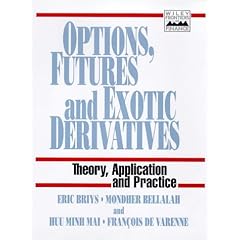
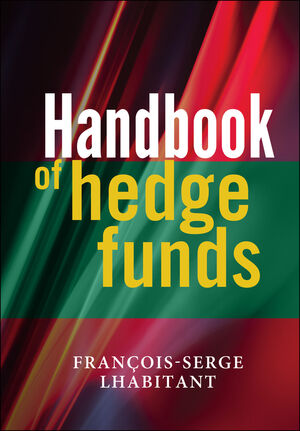
Hence, I will spend the summer reading books such as these:


Above all the last one, since I think I will specialize in Alternative Investments like Hedge Funds.

lundi 2 juillet 2007

Being interviewed...again!

Yes, since I have decided to give my future career a less theoretical and more practical direction, I have applied to two masters: one in "Financial Engineering" and one in "Asset Management".
I have been selected for an interview for both masters, and the first one takes place on Wednesday.
Hence, I am quite busy reading financial economics, corporate finance, asset management...books since my knowledge on these topics is pretty limited: indeed, when I look back at my formation in economics, I was a bit surprised to see that it was very weak in finance. I have never delve into the specifics of financial markets, options, derivatives and the likes. Luckily, the literature on these topics is quite vast so that I expect to be able to learn what I didn't during my previous studies. Of course, there is a lot of information to be digested, but I think I can do it!

See you soon for the results!

jeudi 7 juin 2007

Increase your laptop's battery life under Vista! (yes, it is possible!!!)

Hi!

So, you have a new laptop with Vista pre-installed, you are quite happy, then you check
this little icon in the system tray that says "100% battery : 1 hour 48 minutes left"!
Quite disappointing!
Fortunately for you, there are a few ways to increase your battery life with third-party programs.

First, Vista Battery Saver : this is a nice little program that allows you to disable both Aero and the sidebar while in battery mode. What is more, you can even tell the program at what point you want to disable them: for instance, you can set Aero to be disabled when there is 70% battery left and the sidebar when there is 40% battery left. This is all very easy to do and quite intuitive.

My advice would be to remove Aero as soon as possible because it uses A LOT of power.
On my U1, disabling Aero would allow me to gain around 15 minutes out of the 2 hours of battery life of the 3-cell battery. I can't tell about the sideboard 'cos I automatically remove it when i install Vista: it uses too many ressources for my liking!
As a conclusion, I can say that it is a nice app, even though it uses 9 Mb of you RAM which is a bit high I think. It is still improving though; for instance it seems that it was not working with Vista Home Premium, but it has been fixed.

2. RmClock: this is an open source project that allows you to adjust your CPU performance on-the-fly and create different profiles depending on your utilisation. For instance, you can use "ondemand" so that your CPU switches between full power (100% CPU) when, say, you work on a picture with Photoshop, and 50% CPU power when you are browsing the web.
Also, quite importantly, you can undervolt the CPU: it means that you can decrease the voltage allocated to each setting of your CPU. For instance, let's say that at full power, your CPU uses 1.35V; with RMclock, you can decrease that amount to 1.2 V for instance. This cools the system down and reduces power consumption which, in turn, increases battery life. Of course, you have to be careful in your settings: you cannot set 0.95 V for the "full power" setting: in that case, your computer will certainly freeze. One drawback of Rmclock is that you can't test each setting whereas with

3. NHC you can! The thing is, you need to have Microsoft's .NET Framework Version 2.0 for NHC to work. I think it comes pre-installed with Vista however. NHC is a bit slower on boot than RMclock and it uses more resources but it might be a bit more user-friendly than RMclock, so it is up to you. With NHC, you might even be able to control the speed of your fan, but it depends on your laptop. On mine, it soes not work.

To conclude, I can say that using Vista Battery Saver and either RMclock or NHC, you can definitely reclaim quite a bit of battery life under Vista.

However, Vista is still slow as hell (in my opinion!), so that I prefer Linux. Moreover, Beryl is waaaaaaaaay better than Aero. Hence, in another message I will talk about Ubuntu Linux on my U1F.